Early access. What's new Report a bug

Updates

The latest changes and improvements, newest first.

2026-06-06

A leaderboard for contributors

The people who improve Progresspedia now get their moment. The new leaderboard ranks the top contributors by the points they've earned from accepted edits and upvotes. Switch between this week, this month, and all time to see who's been busy.

2026-06-05

Take a whole course offline

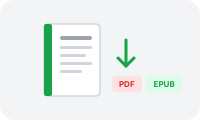
Any course can now leave the browser. Open a course page, find "Read it as a book," and download the complete course - every chapter, its description and images - as a PDF to read anywhere or an EPUB for your e-reader or Kindle.

2026-06-04

Spot a typo? Highlight it to fix it

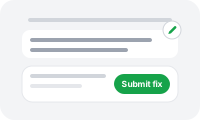
Fixing an article no longer means hunting for the edit button. Just select the text that's wrong and a little "Suggest a fix" button pops up. Tweak the wording right there and send it off - it goes through the same community review as any other edit.

2026-05-31

See what's new and recently updated

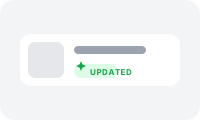
Articles that were just added or freshly edited now wear a small "Updated" tag in the course list, so you can spot what's changed at a glance. The tag shows for two weeks after an edit and then quietly steps aside.

2026-05-21

Print a course, tick it off on paper

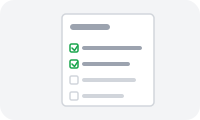
Every course now has a printable checklist. Open any course page, scroll to "More on this course," and hit "Print / save as PDF" to get a clean handout of every skill with a tick box next to it. Take it to the gym, the park, or the slope and mark things off with a pen.

2026-05-18

Notifications

You'll now get notified when someone replies to your comment, so you can follow a conversation without having to scroll back and check for yourself.

2026-05-18

Reply to a reply

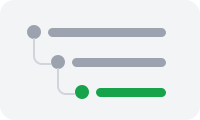
Comment threads go deeper now. You can reply directly to a reply, so back-and-forth discussions stay grouped together instead of piling up flat.

2026-05-16

A new logo

We redrew the Progresspedia logo. It's simpler, a little friendlier, and finally looks the way the place feels.

2026-05-16

New course progress bars

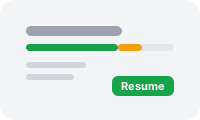
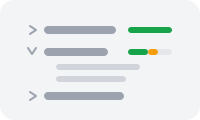
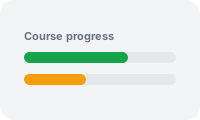
Open any course and you'll see a progress bar at the top. It's actually two bars stacked up: the green one counts the articles you've finished, and the orange one shows how much you've been learning along the way.

2026-05-16

Hide what you're not here for

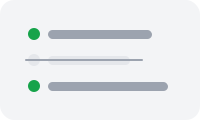
Not every article in a course is going to be your thing, and that's fine. You can now hide the skills you're not interested in, so your course page only shows what you actually want to work through.

Email: [email protected]